Traffic Information
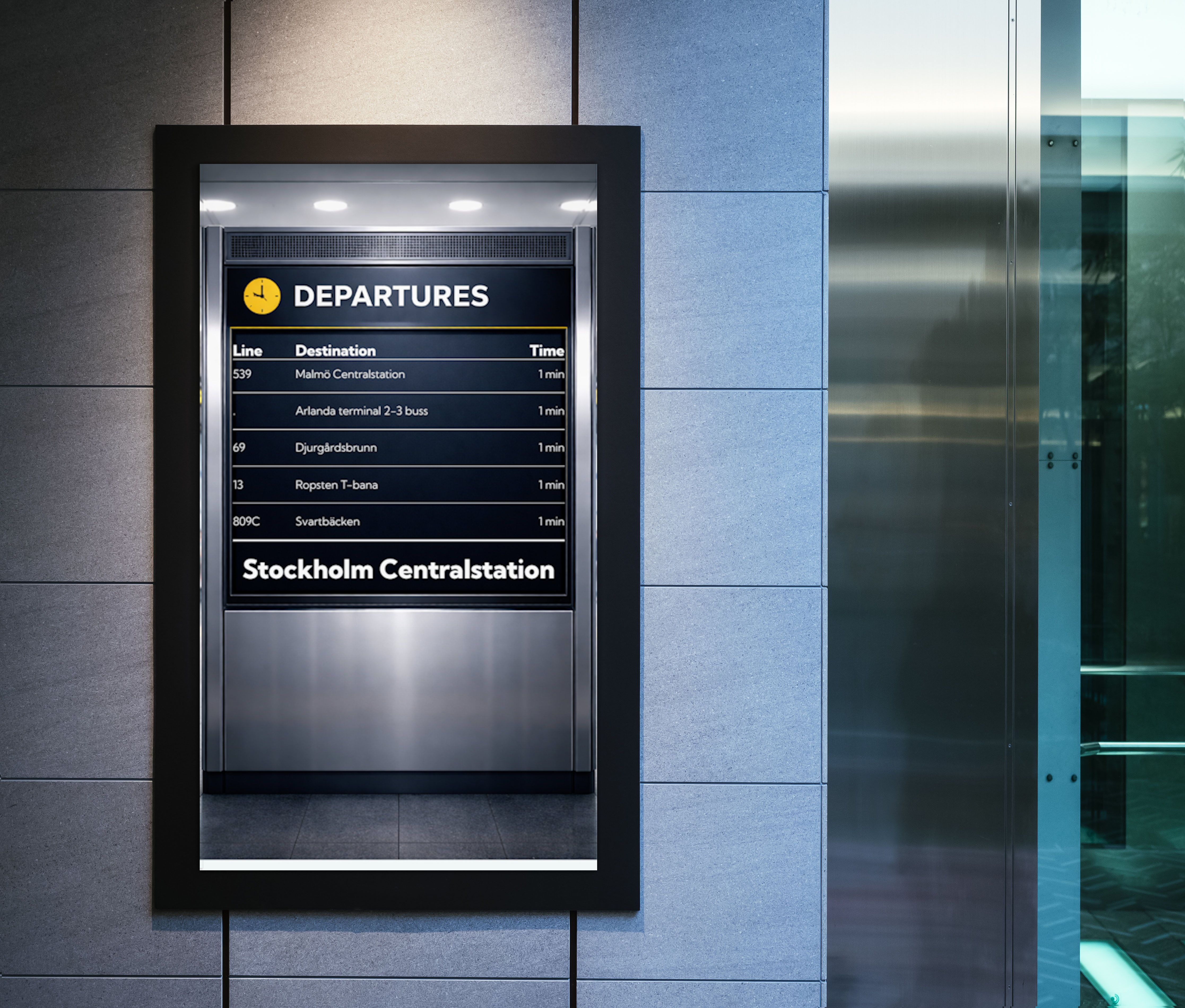
This datasource provides real-time public transport departure information for selected stops. It is commonly used to display upcoming departures on screens in locations such as offices, lobbies, and transit hubs.
The datasource supports multiple Nordic providers and retrieves data from:
- Sweden (TrafikLab)
- Norway (Entur)
- Finland (Digitransit)
It can be used to display real-time departure boards for a specific stop and to filter transport views (e.g. only buses or trains).
How it works
The datasource retrieves real-time departure data from the selected transport provider API based on a configured stop.
It continuously updates departure times and filters results based on user-defined settings.
- Departures are sorted chronologically.
- A minimum departure threshold filters out departures that occur too soon.
- Data is refreshed automatically based on the provider's API update frequency.
- Real-time updates may include delays or cancellations depending on provider support.
- Availability and data quality depend on the external provider APIs.
- Danish Rejseplanen datasource is deprecated and no longer supported after 2024-12-04.
Requirements
- A valid stop selection using the built-in search
- Selection of a supported provider
- Screens must be able to reach: https://traffic.smartsigncloud.net
Set up the datasource
Traffic datasources are usually included in a default site. If not, follow the steps below:
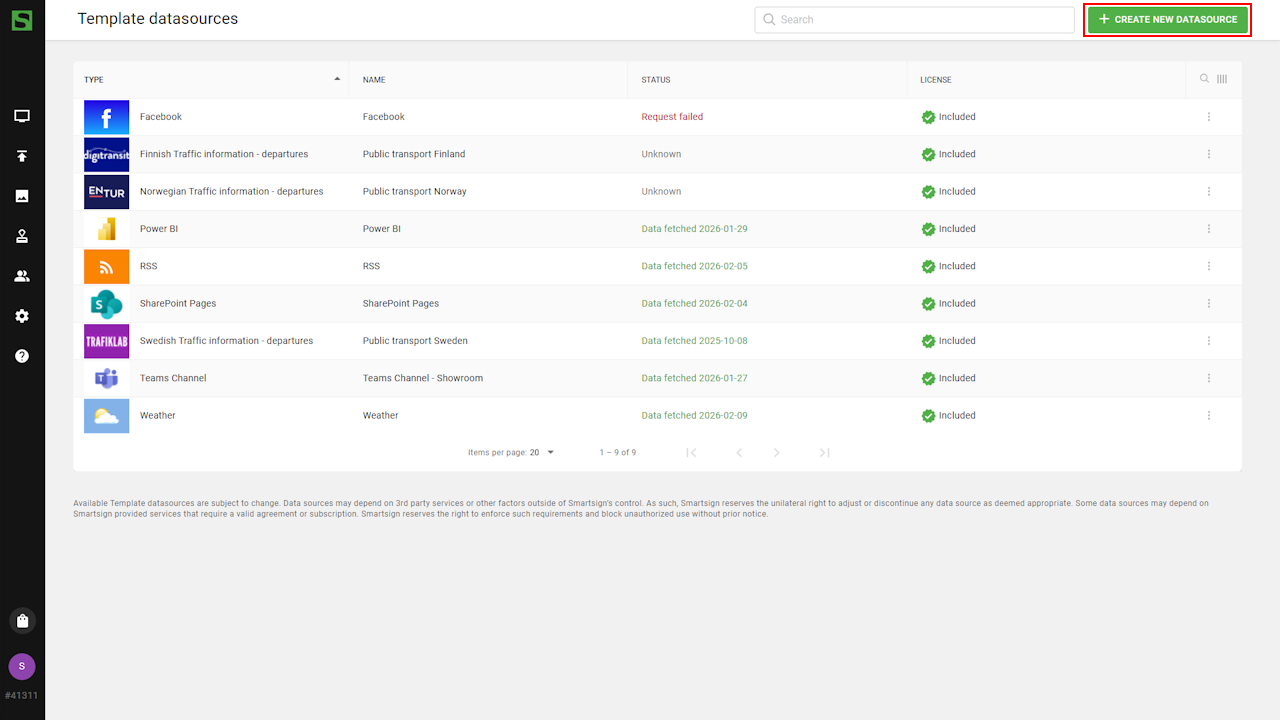
- Go to Templates and Datasources
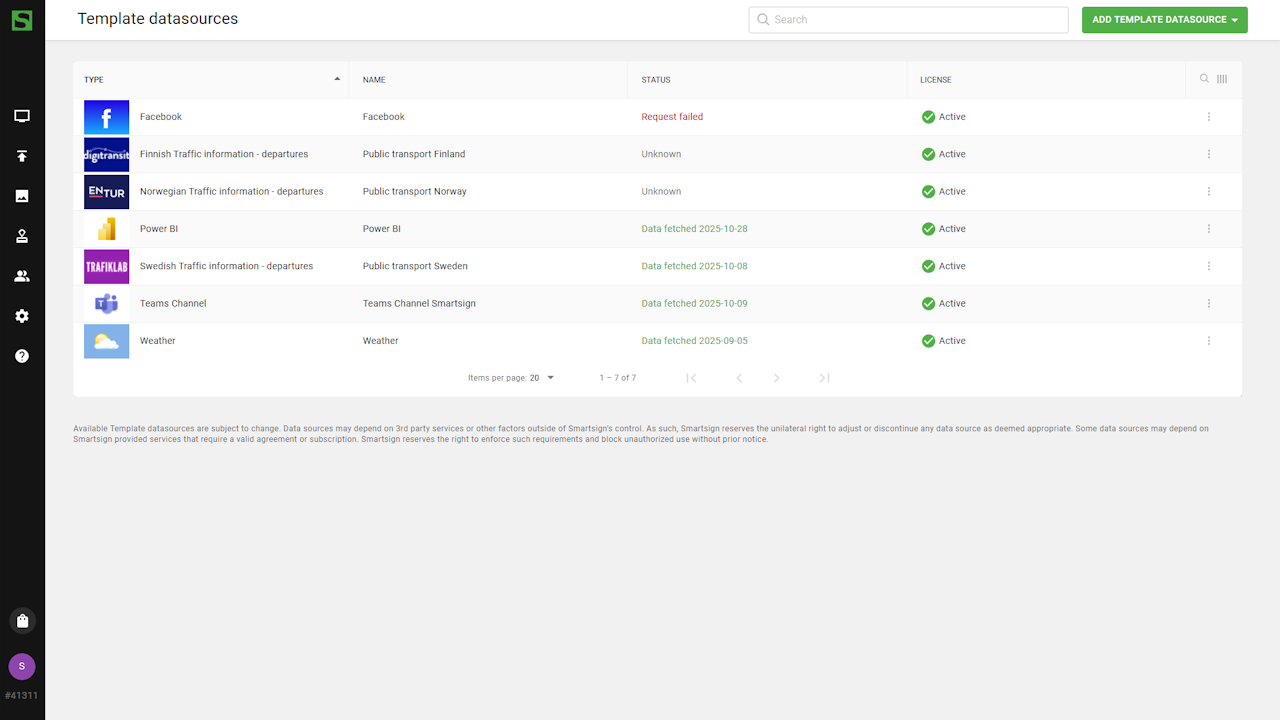
- Create a new datasource and choose the country/provider.
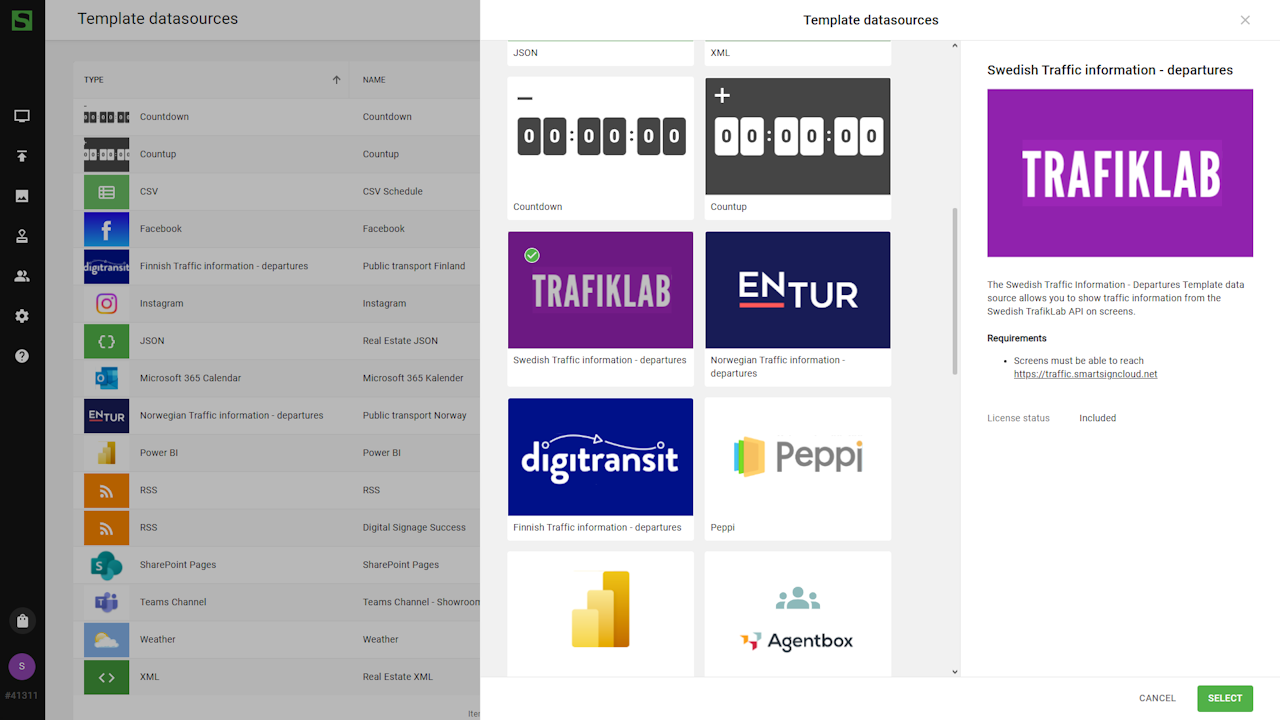
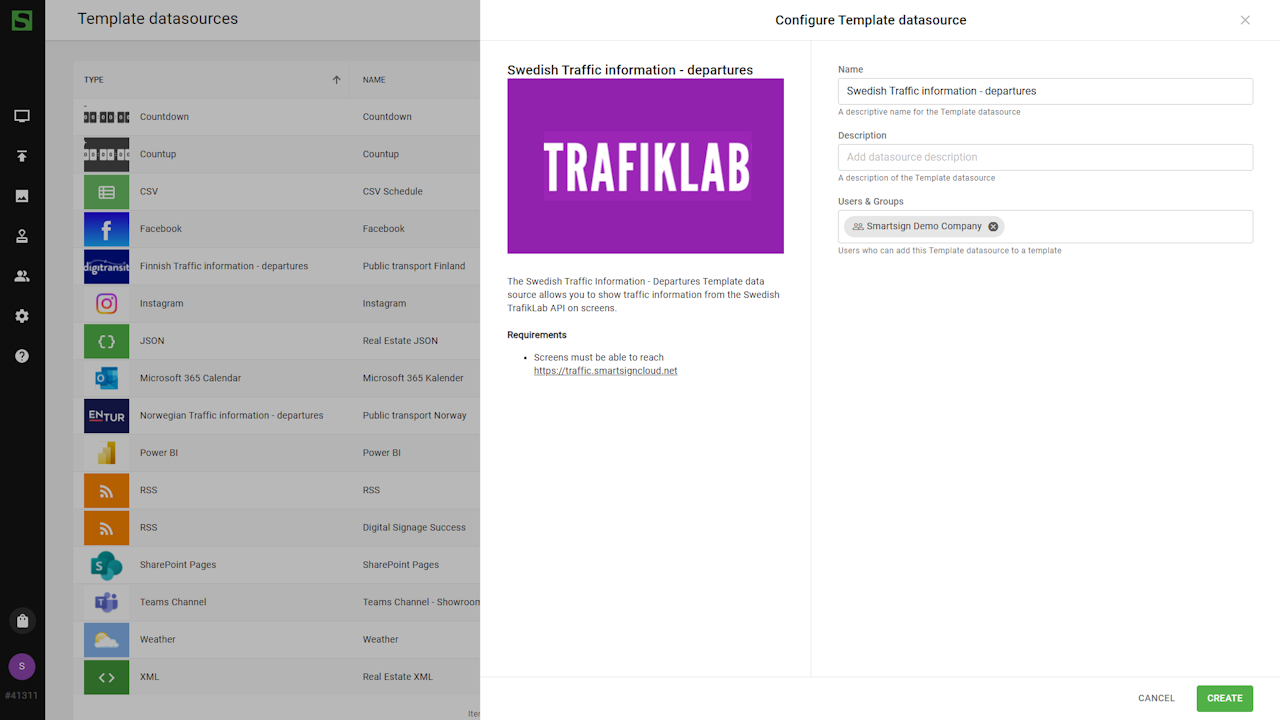
The datasource is now ready to use in a template.
Stop, transport type, and departure time settings are configured in the templates.
Example data
Input:
- Stop name: Stockholm Centralstation
- Transport type: Trains
- Min departure time: 2
Output: List of train departures from Stockholm Centralstation departing in more than 2 minutes from now.
Identifying paths
The datasource provides bindings that can be used in templates.
Available data may vary depending on the provider.
- Line number
- Destination name
- Departure time
- Platform
- Stop name
- Transport name
- Transport type
- Last updated time
Create template
There are pre-created templates for public transportation available in
the Marketplace that you can download and customize.
In this example, we will create a simple departure board showing
upcoming departures for a portrait screen.
- Go to Templates and create a new template.
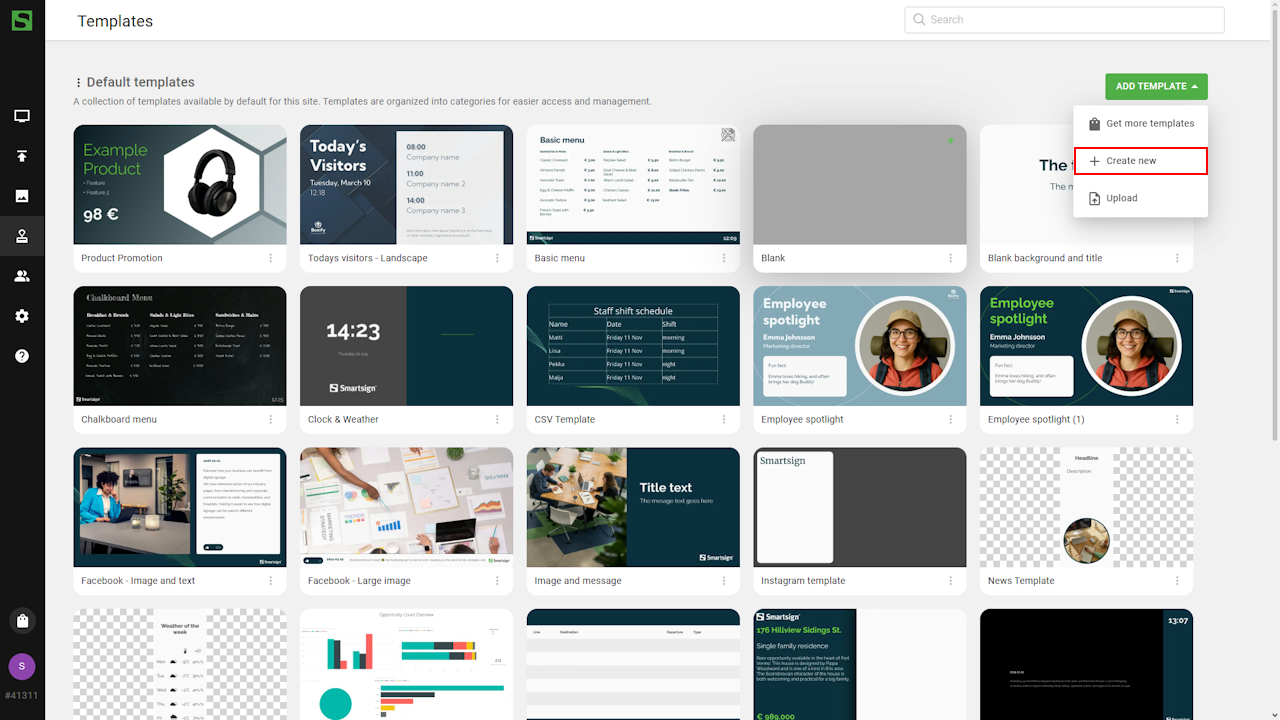
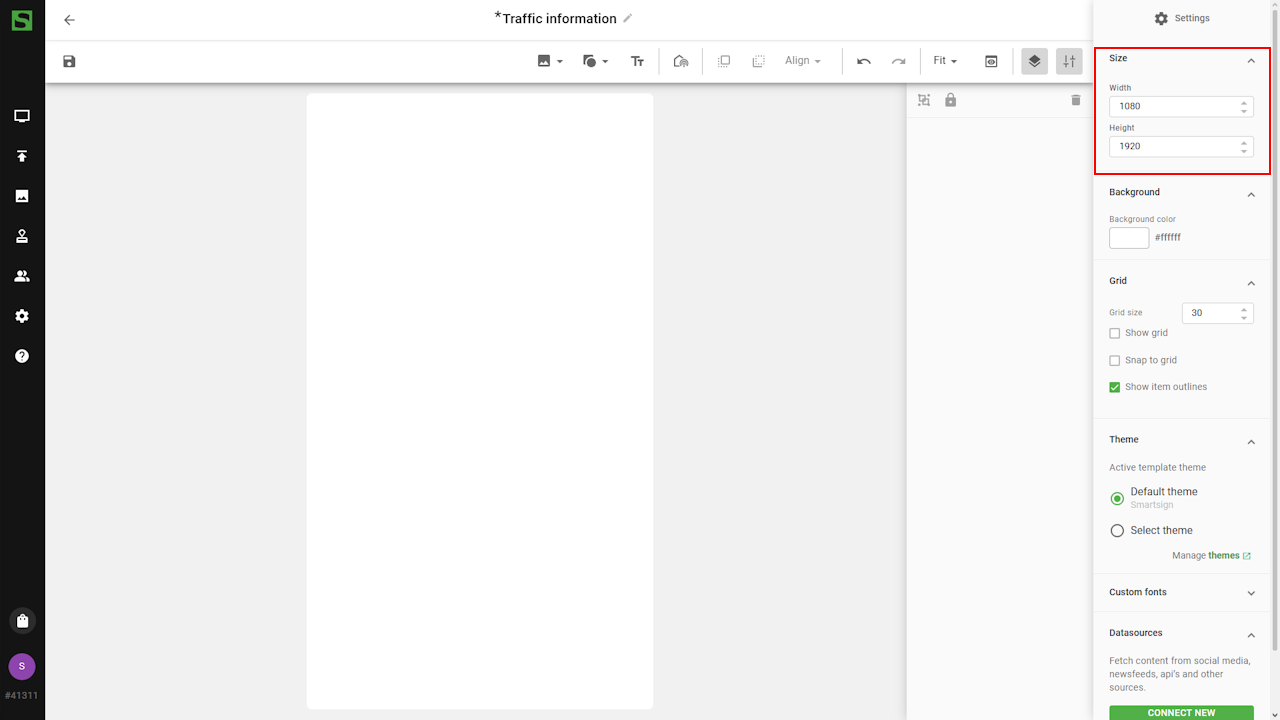
- Adjust template size for portrait (1080x1920).
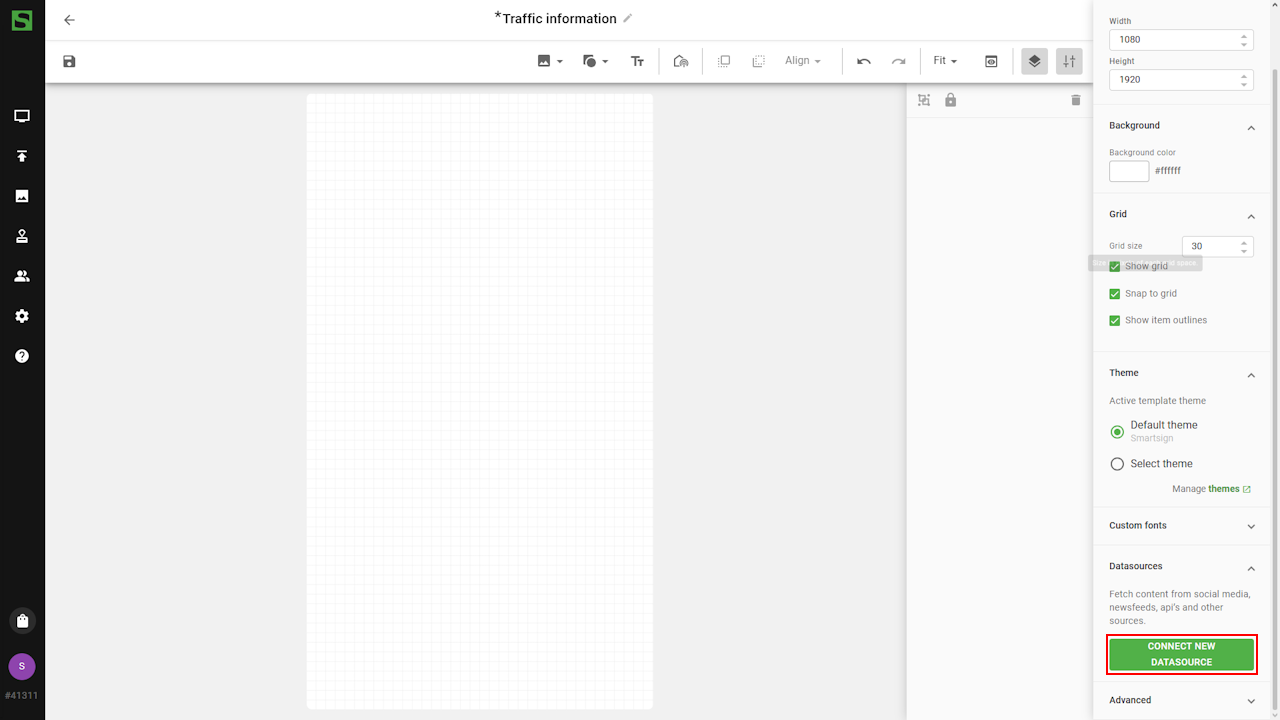
- Connect datasource in the Datasource tab.
- Search and select desired stop.
Optional: Filter by transport type and departure time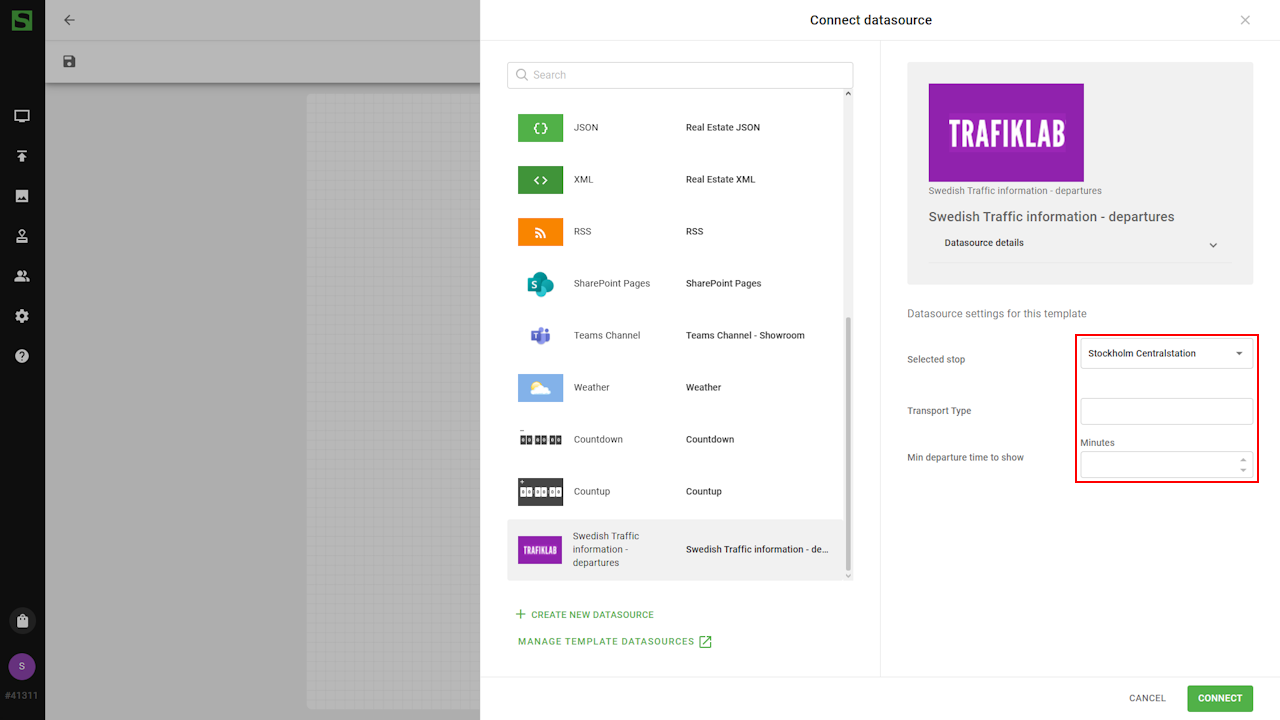
The datasource returns a list of upcoming departures. Each departure is accessed by selecting a data field and specifying an Index.
- Add components and bind to datasource:
Note: Preview may show placeholder or static data if live data is unavailable.- Data binding: Line number. (Index: 0 = first departure)
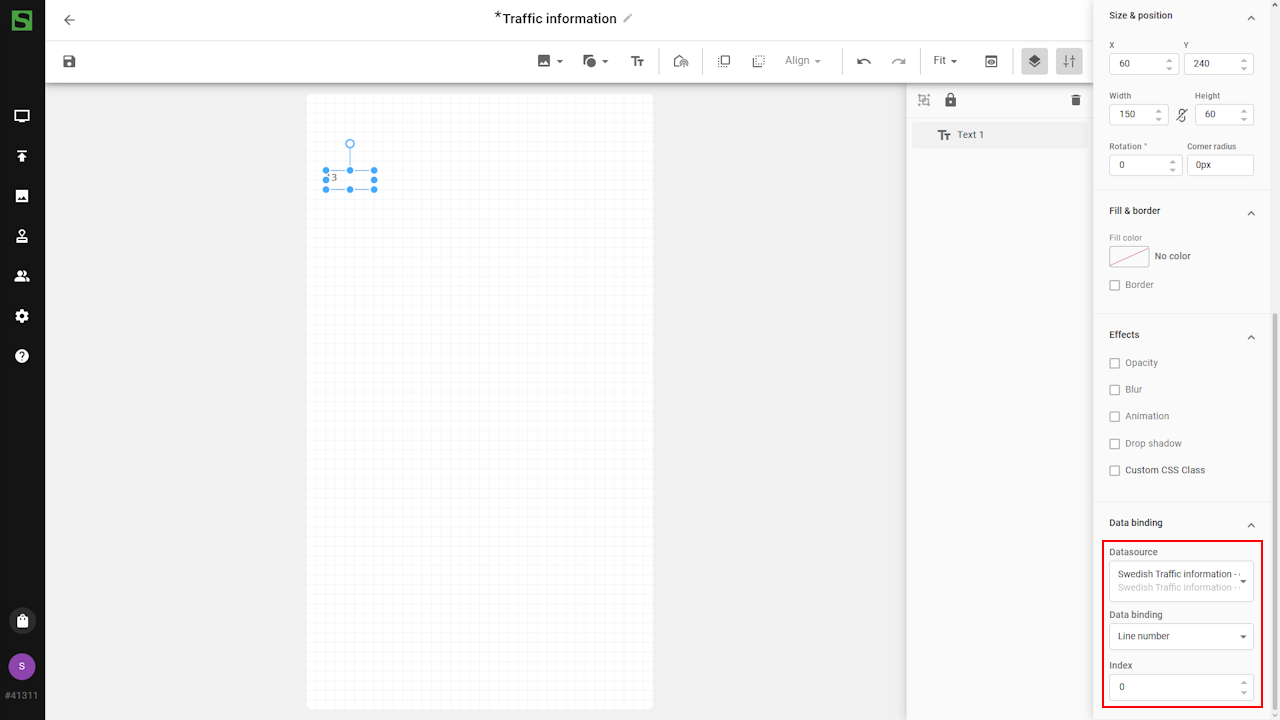
- Data binding: Destination name. (Index: 0)
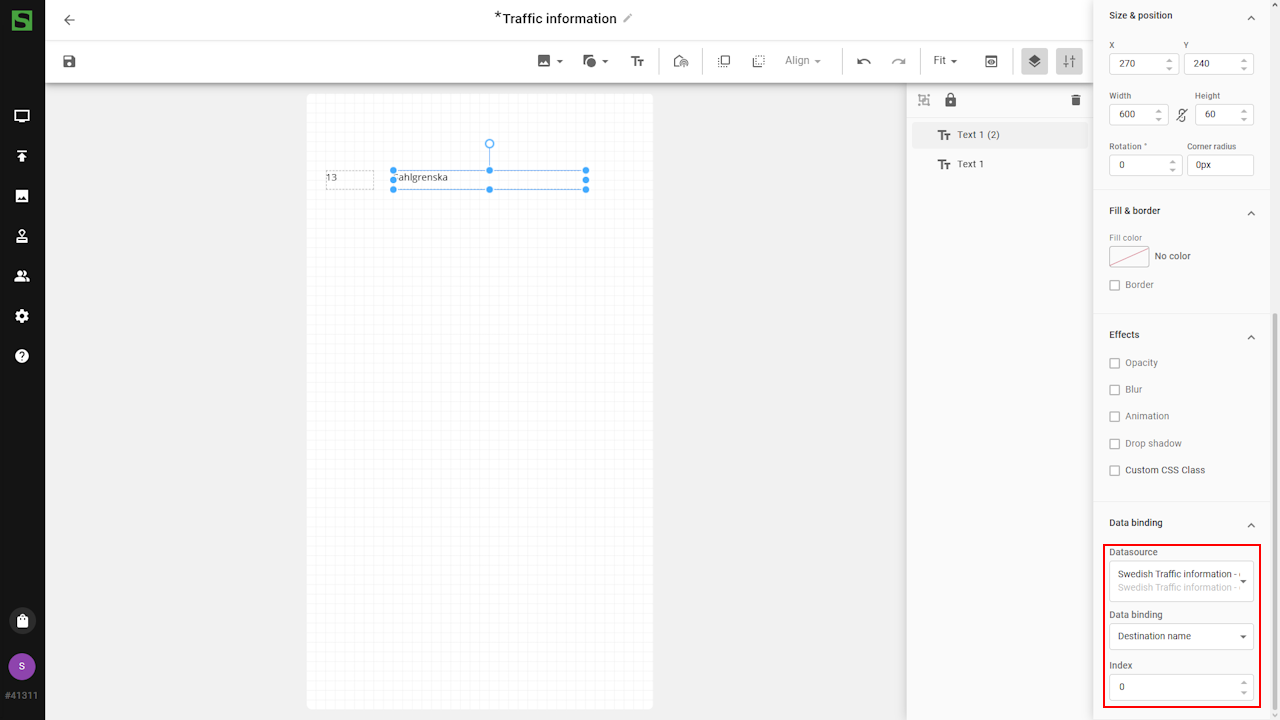
- Data binding: Departure time. (Index: 0)
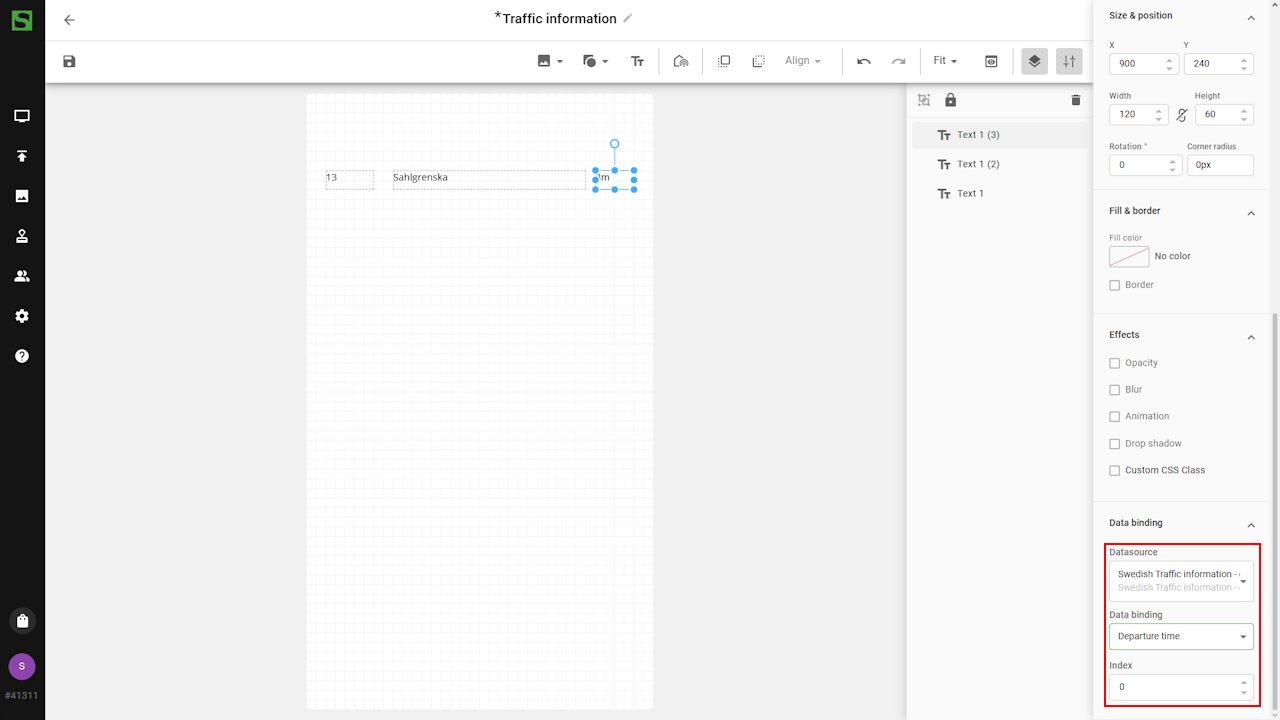
- Data binding: Stop name (no index required)
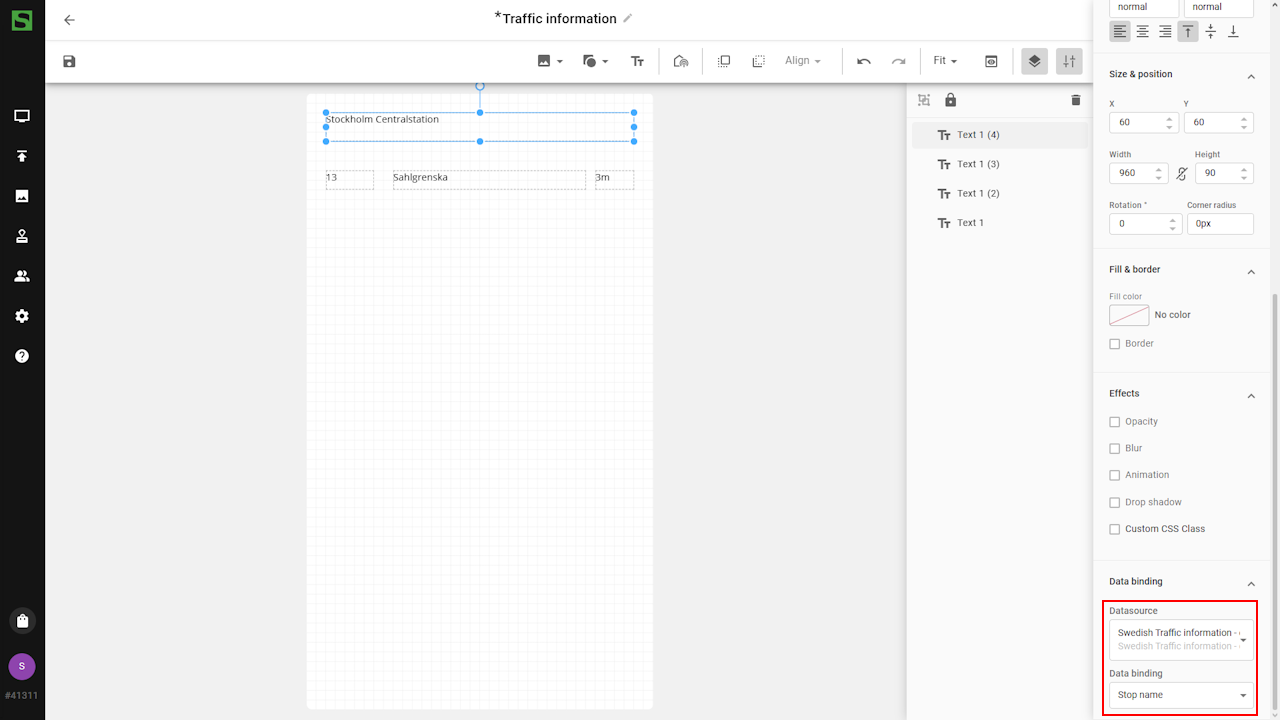
- Data binding: Line number. (Index: 0 = first departure)
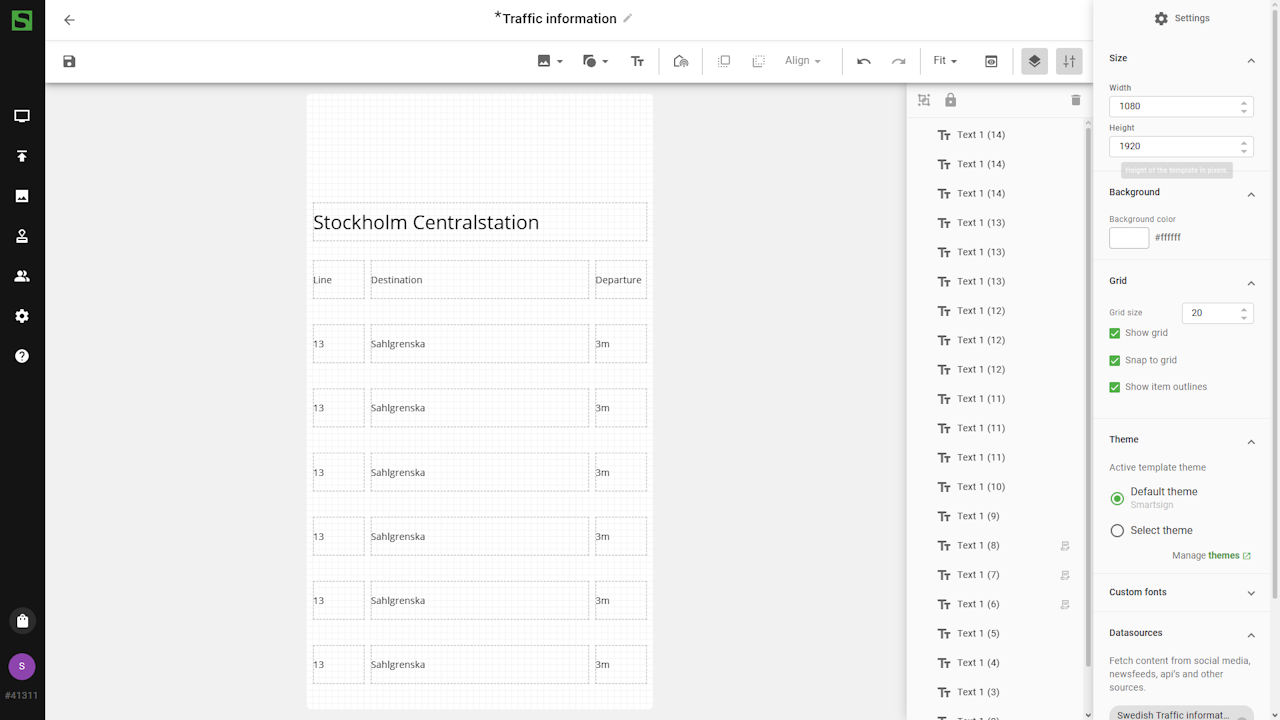
- Use copy/paste to duplicate the components and update the Index
to display additional departures:
- Index 1: second departure
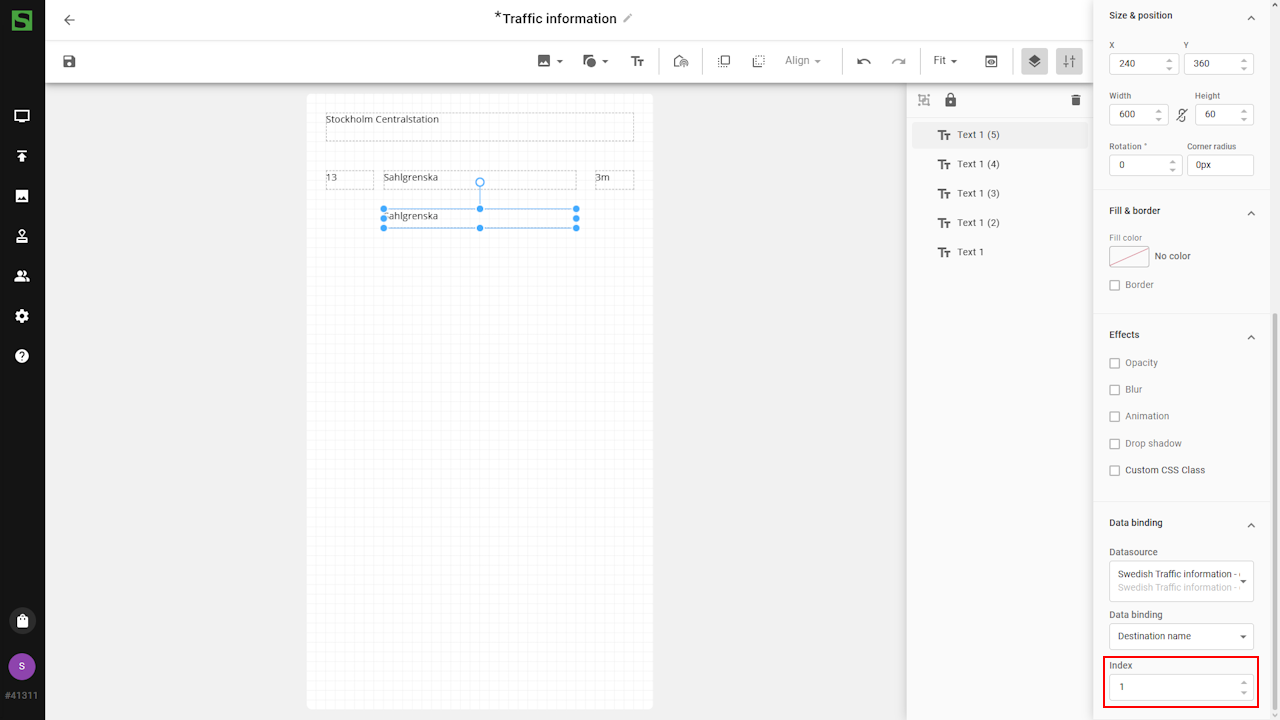
- Index 2: third departure
- Index 3: fourth departure
- Index 1: second departure
- Add additional components and bind additional values if needed
(e.g. Transport Type or Platform).
- Adjust font styling, layout and additional design elements to
finalize template.
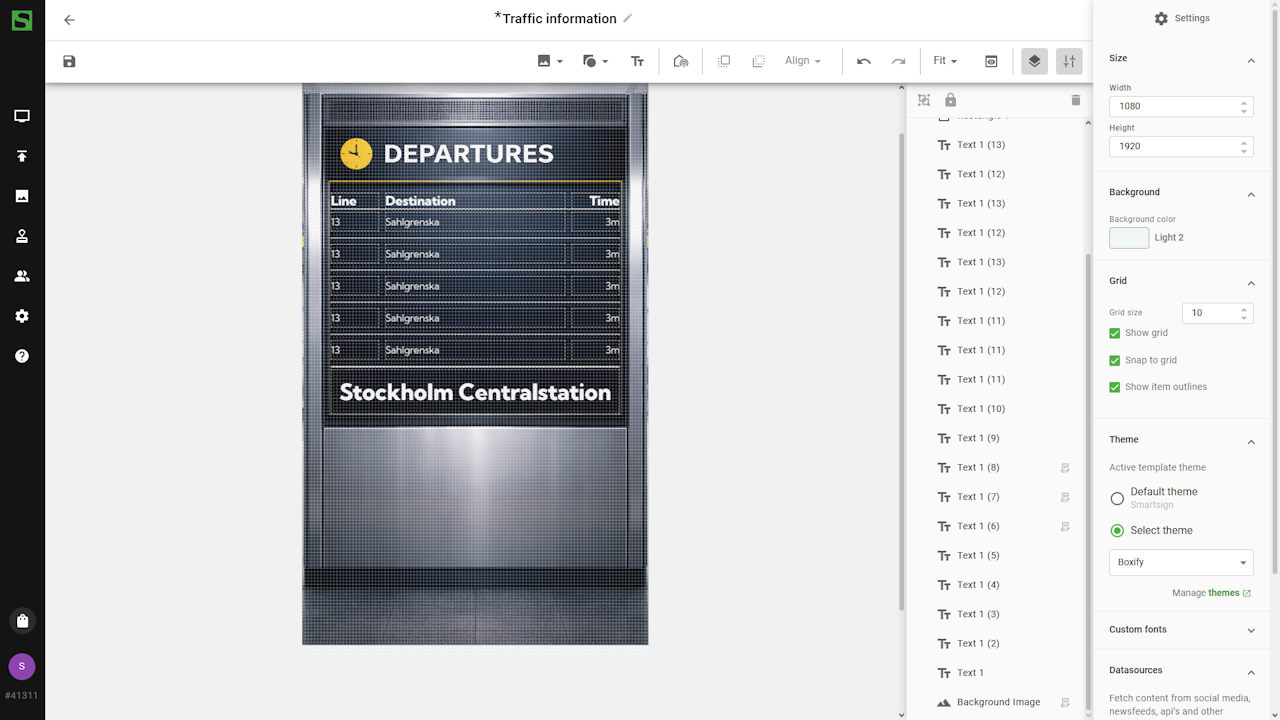
- Save the template and it's now ready to be published on the screens
Datasource configuration options
Swedish Traffic Information – Departures (TrafikLab)
Source is Swedish TrafikLab API, current operating status can be found at http://status.trafiklab.se/1748135.
| Setting | Description | Example |
|---|---|---|
| Selected Stop | The name of the stop for which to show departures, use the search field and then select the stop to use | Stockholm Centralstation |
| Transport Type | Select which transport types to include | Buses, Trains |
| Min departure time to show [m] | Input a threshold value, in minutes, to only show departures occurring later than the threshold | 2 |
Norwegian Traffic Information – Departures (Entur)
Source is Norwegian Entur API, current operating status can be found at https://status.entur.org/.
| Setting | Description | Example |
|---|---|---|
| Selected Stop | The name of the stop for which to show departures, use the search field and then select the stop to use | Oslo S |
| Transport Type | Select which transport types to include | Buses, Trains |
| Min departure time to show [m] | Input a threshold value, in minutes, to only show departures occurring later than the threshold | 2 |
Finnish Traffic Information – Departures (Digitransit)
Source is Finnish DigiTransit API, current operating status can be found at https://www.digitraffic.fi/en/api-status/.
| Setting | Description | Example |
|---|---|---|
| Selected Stop | The name of the stop for which to show departures, use the search field and then select the stop to use | Helsingin rautatieasema |
| Min departure time to show [m] | Input a threshold value, in minutes, to only show departures occurring later than the threshold | 2 |
Danish Traffic Information – Departures (Rejseplanen) - EOL
This data source will no longer function after 2024-12-04.
Rejseplanen has removed their existing free API and replaced it with a paid one.